
English
AeroFlux W70 Manual
Safety Information
Please read the following instructions carefully before using this device. Failure to follow these safety guidelines may result in injury and will release Vivosun from all liability and void all product warranties.
-
Always unplug the heater when not in use.
-
Do not operate the heater if the cord or plug is damaged, or if the heater malfunctions, has been dropped, or damaged in any way. A damaged cord must be replaced by a qualified professional to avoid hazards.
-
Always plug the heater directly into a wall outlet. Never use an extension cord or power strip.
-
Do not run the power cord under carpeting, rugs, runners, furniture, or appliances. Keep the power cord away from high-traffic areas to prevent tripping.
-
To disconnect the heater, turn the device off, then remove the plug from the outlet.
-
Do not place the heater immediately below a wall outlet.
-
This heater has a polarized plug (one blade is wider than the other) to reduce the risk of electric shock. The plug fits into a polarized outlet only one way. If it does not fit fully, reverse the plug. If it still does not fit, contact a qualified electrician. Do not tamper with this safety feature.
-
Use the heater only on a horizontal, stable surface.
-
This heater is not intended for use in bathrooms, laundry areas, showers, swimming pools, or similar indoor locations. Never place the heater where it could fall into a bathtub or other water container.
-
Do not insert or allow foreign objects to enter any ventilation or exhaust openings, as this may cause electric shock, fire, or damage to the heater.
-
To prevent fire hazards, do not block air intakes or exhaust openings. Avoid using the heater on soft surfaces such as beds, where airflow may be obstructed.
-
This heater contains hot, arcing, or sparking parts internally. Do not use it in areas where gasoline, paint, or other flammable liquids are stored or used.
-
Use this heater only as described in this manual. Any use not recommended by the manufacturer may cause fire, electric shock, or injury.
-
Exercise extreme caution when the heater is used near children, the elderly, or individuals with reduced physical, sensory, or mental capabilities, especially when unattended.
-
This heater is not intended for use by persons (including children) with reduced abilities unless supervised or instructed by a responsible person.
-
Children should be supervised to prevent them from playing with the heater.
-
The heater’s surfaces become hot during operation. To avoid burns, do not touch bare skin to hot surfaces. Use provided handles when moving the heater.
-
Keep textiles, curtains, and other flammable materials at least 1 meter away from the air outlet to reduce fire risk.
-
WARNING: Do not use this heater in small rooms occupied by persons unable to leave without assistance unless constant supervision is provided.
-
Before installation, operation, or maintenance, inspect the heater visually and read all caution labels thoroughly. Failure to follow these instructions may result in fire, electric shock, or serious injury.
-
SAVE THESE INSTRUCTIONS
Product Contents
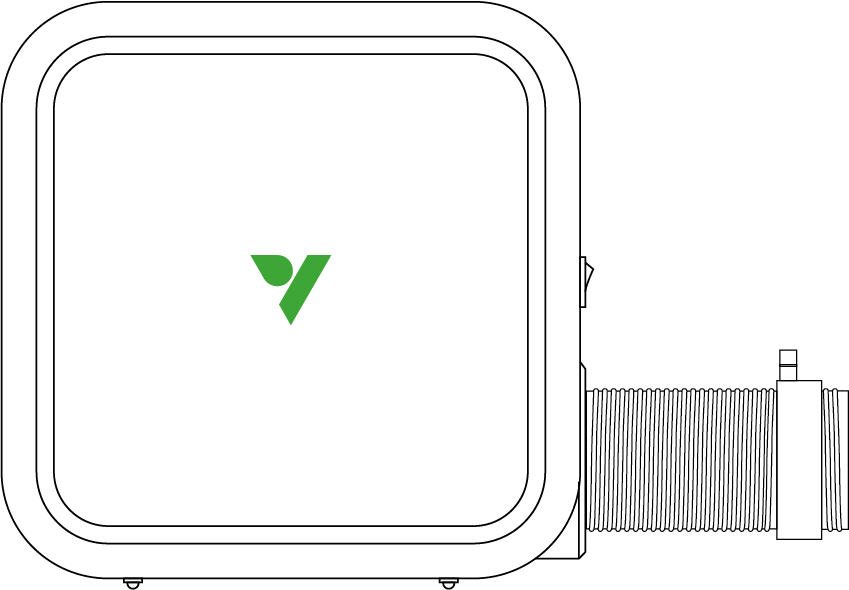
W70 Heater |
1 PC |
|
|
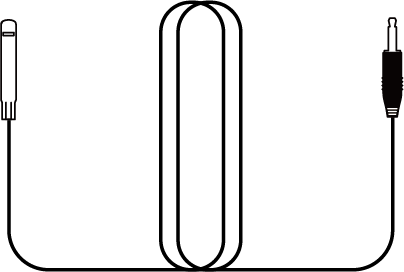
Temperature & Humidity Sensor |
1 PC |
|
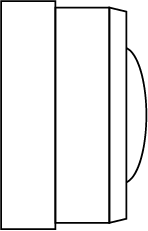
Air Outlet |
1 PC |
|
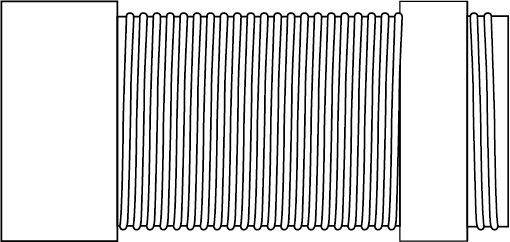
Extension Hose |
1 PC |
Specifications
Model |
VSE-ATW70 |
Control Modes |
VPD, Temp |
Power |
700W |
Range |
5 Levels |
Wi-Fi Connection |
2.4 GHz |
Input |
120 V AC 50/60 Hz Max 5.84 A (220–240 V AC 50/60 Hz Max 3.9 A) |
Dimensions |
9.45" L × 9.45" H × 4.72" W (24L × 24H × 12W cm) |
Grow Space |
Up to 60'' × 60'' × 80'' (150 × 150 × 200 cm) |
Operating Temperature Range |
32—95°F (0—35°C) |
Operating Humidity Range |
35%—85% RH |

Installation
Step 1
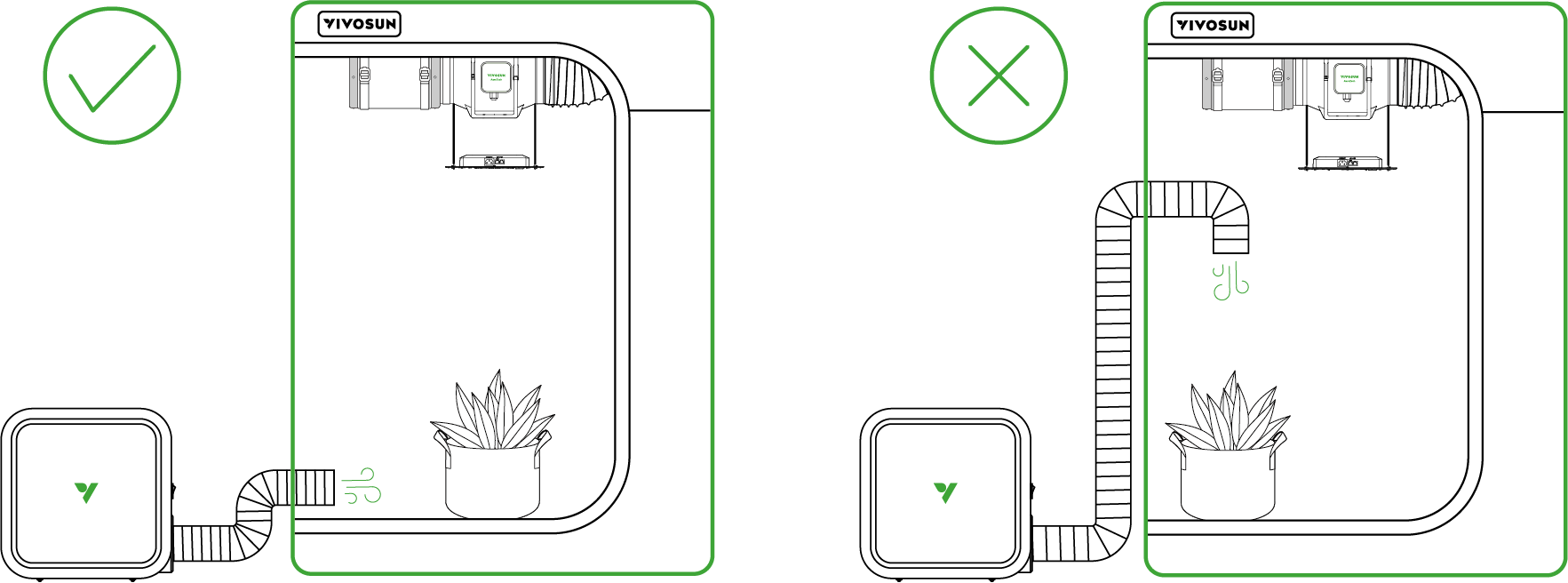
Install the air outlet and attach the extension hose if necessary. Place the air outlet at the bottom of the grow tent, ensuring it does not face the plants directly.
Step 2
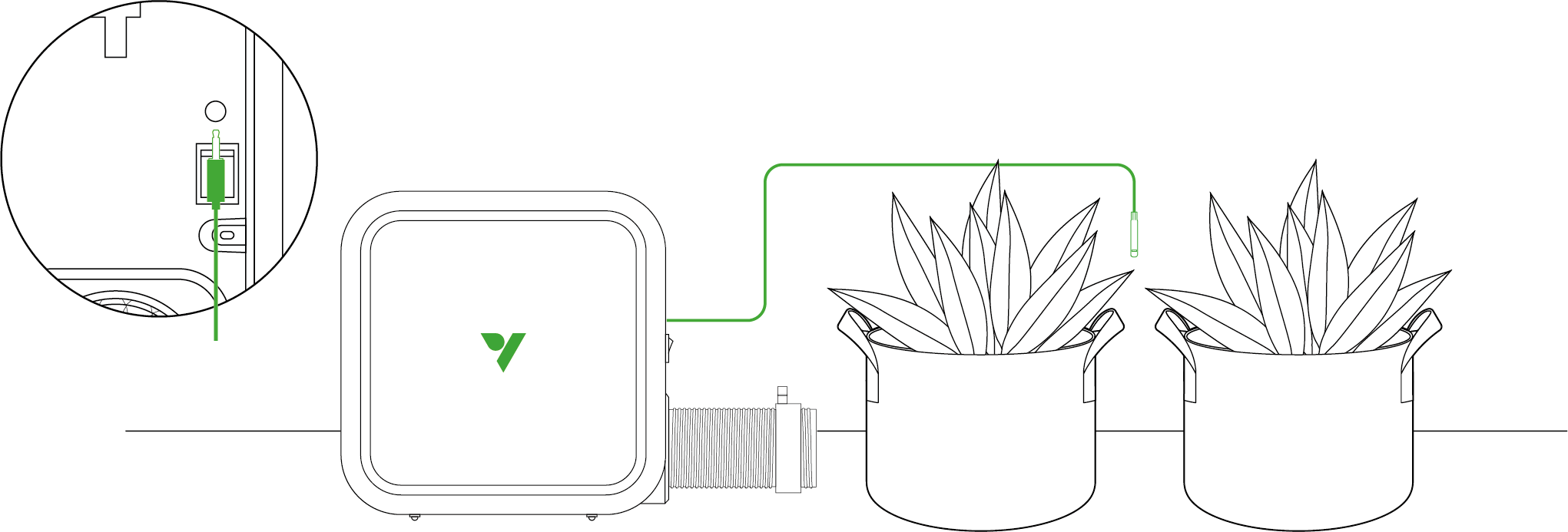
Connect the temperature and humidity probe to the 2.5 mm jack near the switch. Position the probe close to the plants in the target area and secure it firmly.
Step 3
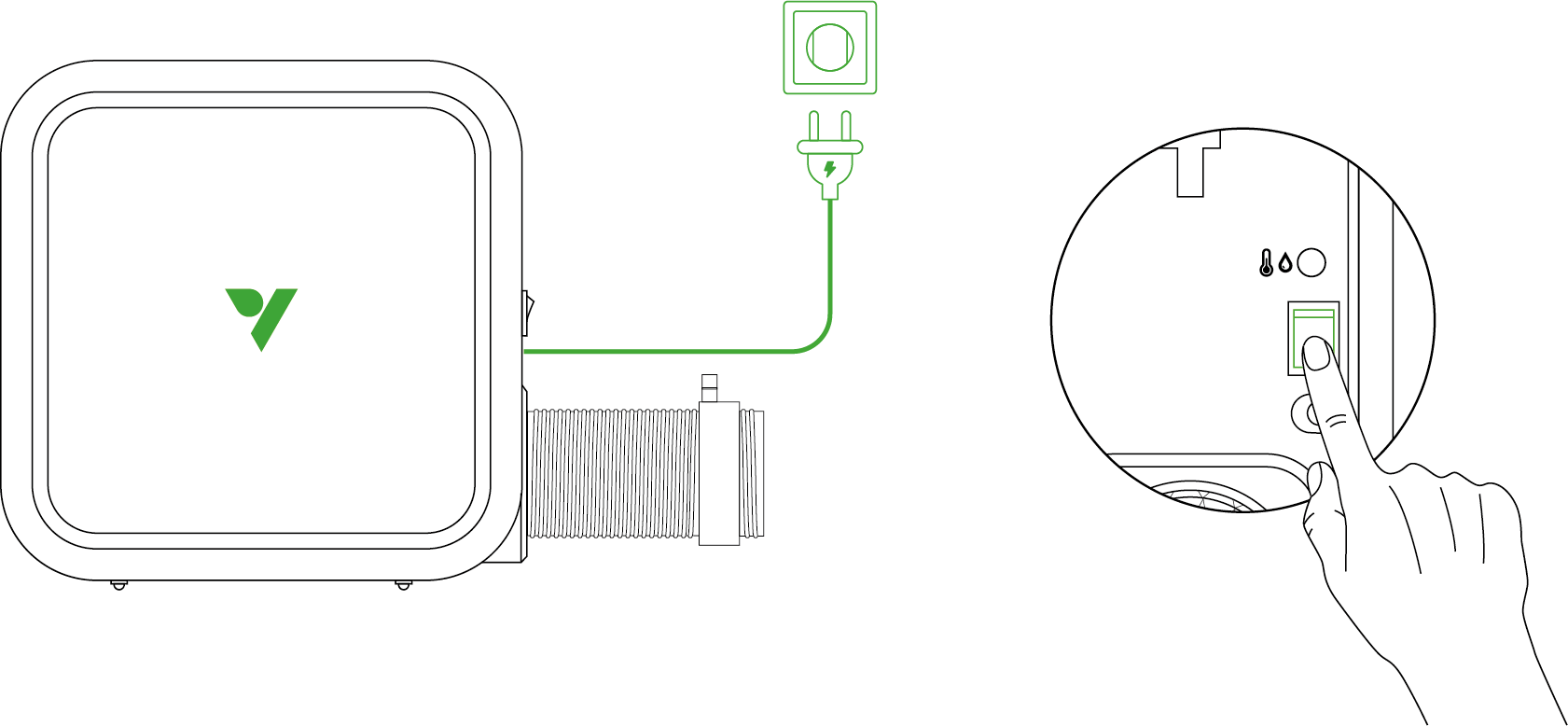
Plug in the power cord and switch the device on.
Operation
For maximum convenience, we recommend connecting your AeroFlux smart heater W70 to the Vivosun app. This lets you monitor and control your grow environment from anywhere using your smartphone—whether you’re relaxing at home or traveling abroad. The app also unlocks additional features and functions to enhance your growing experience.
Connecting to the VIVOSUN APP
1. Download the Vivosun app
Search"VIVOSUN" in the Apple App Store or in the Google Play Store to download the Vivosun app

2. Add your AeroFlux smart heater W70
Tap"+”or  to add your AeroFlux smart heater W70. When connecting to the Vivosun app,
  will
show on the screen.
will
show on the screen.
Note: Make sure you have a 2.4GHz Wi-Fi connection, and that Bluetooth is enabled on your phone.
Operation
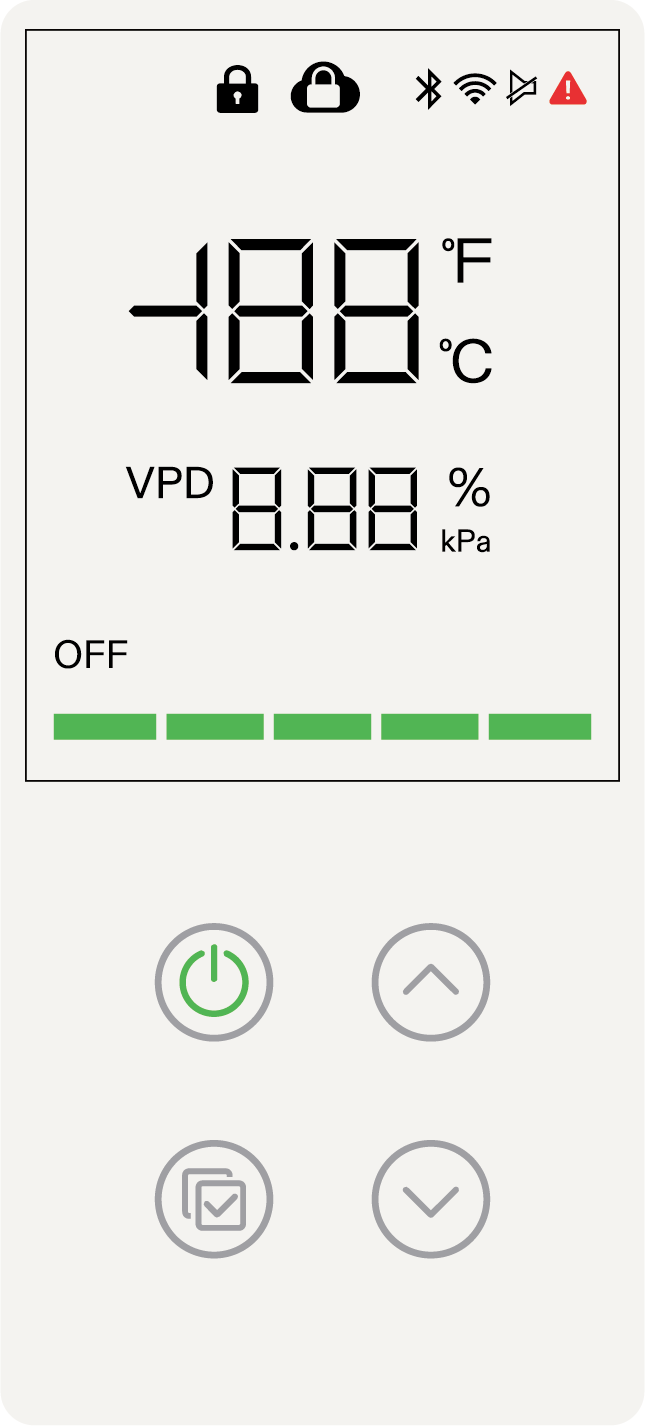
Power |
Turn On |
Turn Off |
Confirm |
Confirm Selection |
Stop Current Recipe /Edit Target Temp. |
Up |
Increase Temperature Value |
Toggle °F/°C |
Down |
Decrease Temperature Value |
Toggle Touch Sound On/Off |
|
---- |
Lock/Unlock |
|
---- |
Restore Factory Settings/Re-pair |


Error code |
E1 |
E2 |
Description |
Heater Overturned |
Overheating |
The heater will stop operating, and then the error code will flash.
Local Mode Operation
Local settings only support temperature mode:
-
Short-press the Power button to turn on the heater.
-
When the temperature value flashes, use the Up/Down buttons to select your target temperature, then press Confirm to set it.
-
Next, when the output level bar flashes, use the Up/Down buttons to select the maximum output level, then press Confirm to save the setting.
-
To edit the target temperature and output level later, long-press the Confirm button and repeat steps 2 and 3.
Vivosun App Operation
-
Add the heater to the Vivosun app as a new device.
-
Temperature mode: Select temperature mode, set the target temperature, then tap “Turn On”.
-
VPD mode (only supported via the app): Select VPD mode, set the min. and max temperature, and target VPD value, then tap “Turn On”.
Recommendation: Use the app’s recipe function to configure day/night temperature and VPD profiles. This ensures tailored environmental control, enhancing growth outcomes while improving energy efficiency.
Recommended Settings for Different Plant Growth Stages |
||||||
Stage |
Temperature Mode |
VPD Mode |
||||
Day Time (Light On) Temperature Target |
Night Time (Light Off) Temperature Target |
Light On VPD Target, Temperature Range |
Light Off VPD Target, Temperature Range |
|||
Germination |
75°F (24°C) |
75°F (24°C) |
0.5kPa |
72°F-82°F (22°C-28°C) |
0.5kPa |
72°F-82°F (22°C-28°C) |
Seedling |
73°F (23°C) |
68°F (20°C) |
0.6kPa |
70°F-79°F (21°C-26°C) |
0.5kPa |
64°F-75°F(18°C-24°C) |
Vegetative |
73°F (23°C) |
68°F (20°C) |
1.0kPa |
70°F-79°F (21°C-26°C) |
0.5kPa |
65°F-75°F(18°C-24°C) |
Flowering |
70°F (21°C) |
64°F (18°C) |
1.2kPa |
66°F-79°F(19°C-26°C) |
1.0kPa |
61°F-75°F(16°C-24°C) |
Warranty
VIVOSUN offers a 2-year limited warranty on this product purchased directly from us or our authorized dealers, beginning on the original date of purchase.
This warranty is provided in addition to, and does not affect, your statutory rights under applicable consumer protection laws in the country where the product was purchased.
For the full Warranty Policy, please visit: https://www.vivosun.com/help/warranty-policy
Alternatively, you may contact customer service at support@vivosun.com / +1 888-505-8486.
FCC statement
NOTE:This heater has been tested and found to comply with the limits for a Class B digital device, pursuant to part 15 of the FCC Rules. These limits are designed to provide reasonable protection against harmful interference in a residential installation. This heater generates, uses and can radiate radio frequency energy and, if not installed and used in accordance with the instructions, may cause harmful interference to radio communications. However, there is no guarantee that interference will not occur in a particular installation. If this equipment does cause harmful interference to radio or television reception, which can be determined by turning the equipment off and on, the user is encouraged to try to correct the interference by one or more of the following measures:
-
Reorient or relocate the receiving antenna.
-
Increase the separation between the equipment and receiver.
-
Connect the equipment into an outlet on a circuit different from that to which the receiver is connected.
-
Consult the dealer or an experienced radio/TV technician for help.
This device complies with part 15 of the FCC Rules. Operation is subject to the following two conditions: (1) This device may not cause harmful interference, and (2) this device must accept any interference received, including interference that may cause undesired operation.
Caution: Any changes or modifications not expressly approved by the party responsible for compliance could void the user’s authority to operate the equipment.
This equipment complies with FCC radiation exposure limits set forth for an uncontrolled environment. This equipment should be installed and operated with greater than 20 cm between the radiator and your body.
IC Statement
CAN ICES (B) / NMB (B)
This device contains licence-exempt transmitter(s)/receiver(s) that comply with Innovation, Science and Economic Development Canada’s licence-exempt RSS(s). Operation is subject to the following two conditions:
-
This device may not cause interference.
-
This device must accept any interference, including interference that may cause undesired operation of the device.
The product complies with IC radiation exposure limits set forth for an uncontrolled environment.
This equipment should be installed and operated with a minimum distance of 20 cm between the radiator and your body
Contents

We help you grow your best green.

We provide the highest quality.

We relentlessly pursue the future.

We make growing more enjoyable.

We support every grower.
Sign up and get 8% off your first order
©2026 Vivosun All Rights Reserved